Free online tool
Seating chart maker for weddings and events
Make a seating chart online in minutes: import your guest list, set out the tables on a floor plan, and let the seating chart generator place everyone while it follows your rules. Then print a chart, cards and table numbers, or share a QR page where guests find their own seat.
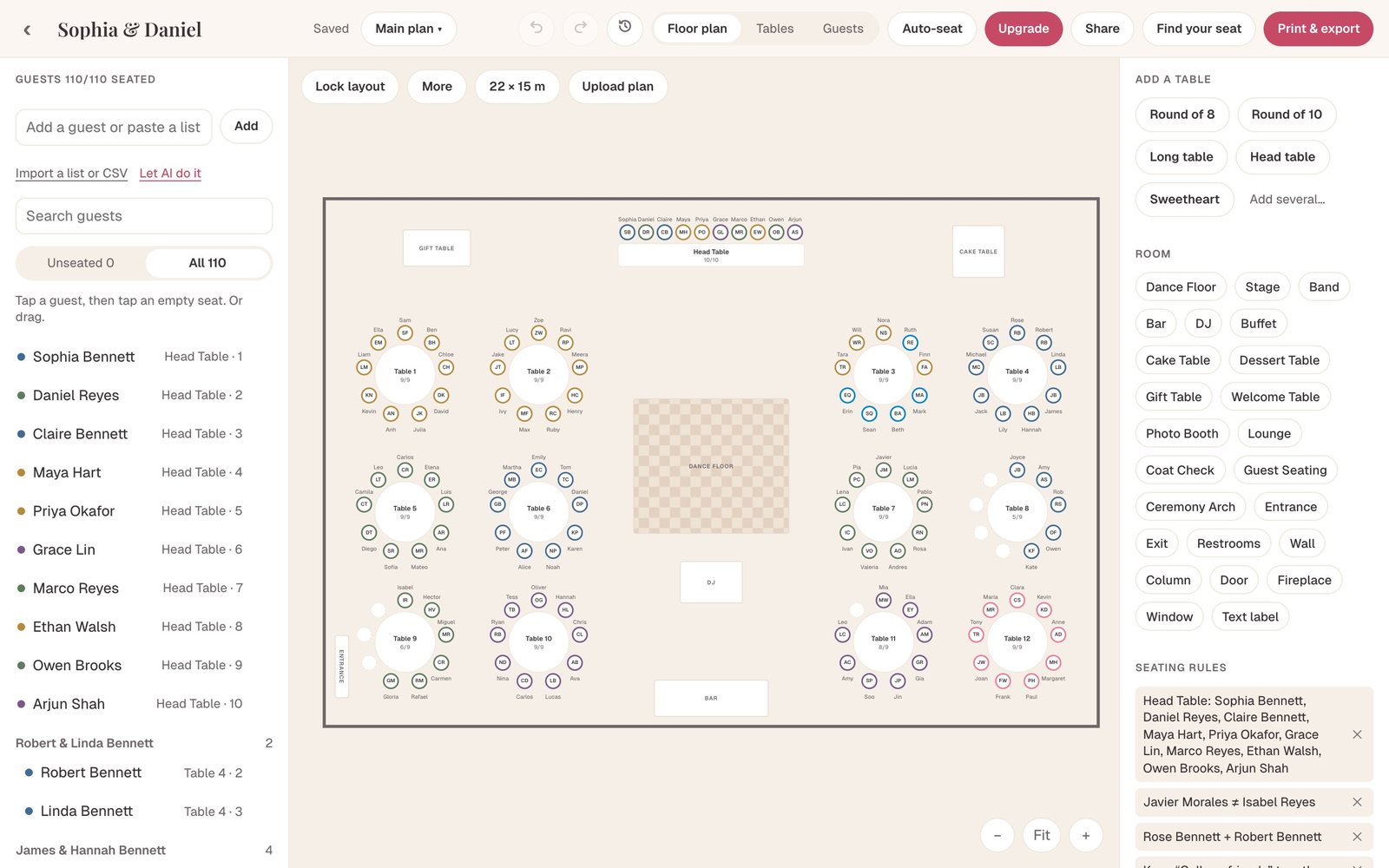
What the seating chart maker does
| Step | What you do | What it does for you |
|---|---|---|
| Guests | Paste a list or upload a CSV | Reads households, groups and plus-ones; finds duplicates |
| Room | Set the room size or upload the venue’s floor plan | Keeps tables to scale; reads the room size and features from the plan |
| Tables | Add round, long, head or sweetheart tables | Shows seats, names and how full each table is |
| Rules | Say who sits together and who must not | Flags any table that breaks a rule |
| Seating | Drag guests, or press Auto-seat | Seats everyone, keeps families together, explains anyone it could not place |
| Output | Choose a theme and size | Charts, table numbers, place cards, meal list, CSV and a QR guest page |
A seating chart generator that follows your rules
A random generator is useless for real events: it splits couples and seats exes together. Auto-seat starts from the people, not the chairs.
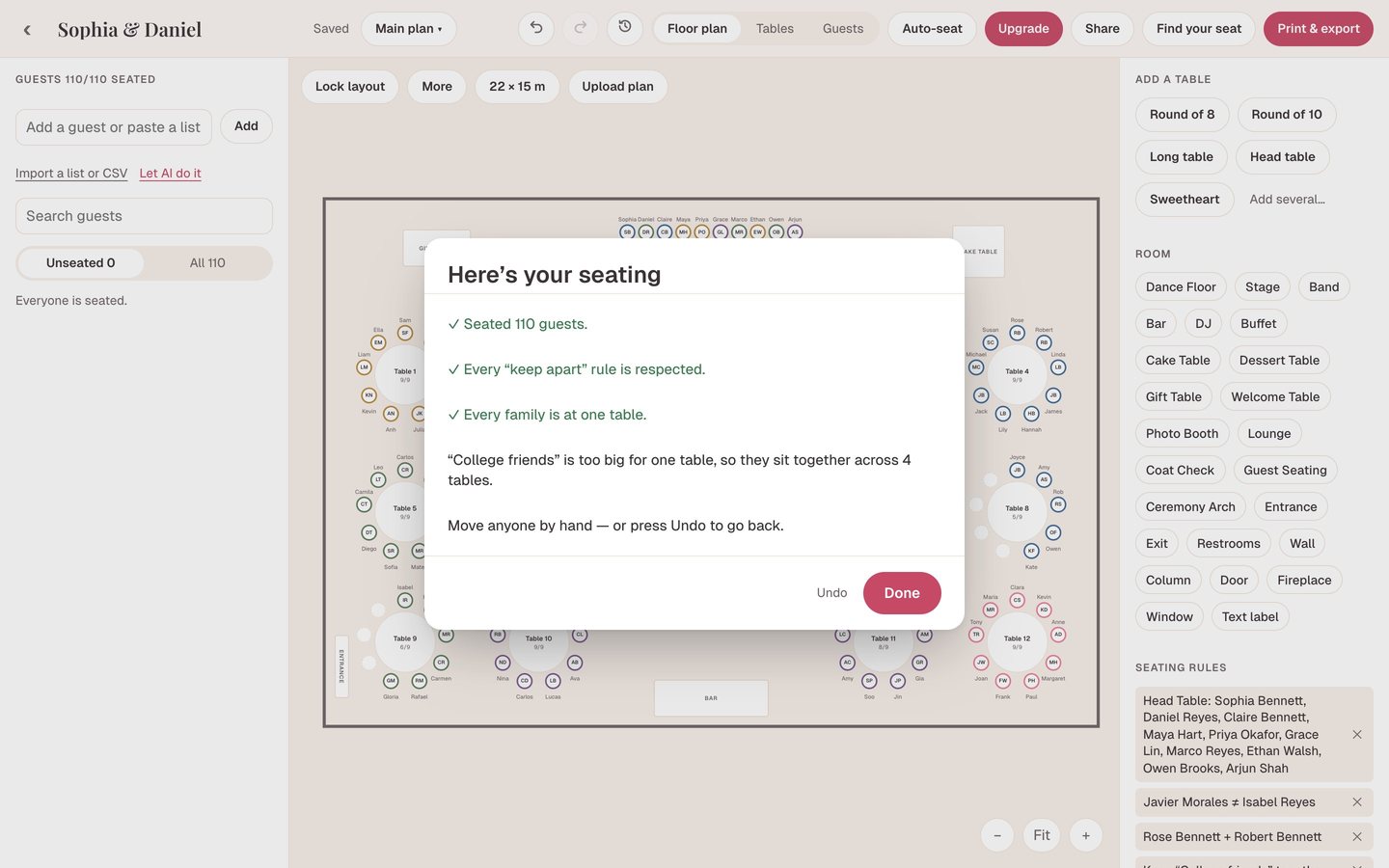
- Households stay together. “Robert & Linda Bennett” and their kids always share a table.
- Keep-apart rules are never broken. If no table works, the guest stays unseated with the reason, instead of being placed badly.
- Sit-together rules pull two parties onto the same table, such as Grandma Rose next to her son.
- Groups stay close. College friends, work friends and cousins land together, and a group bigger than one table is spread over neighboring tables.
- Head table and kids’ table are kept for the guests you choose.
- Your choices are kept. Anyone you seated by hand stays where you put them.
Lay out the room to scale
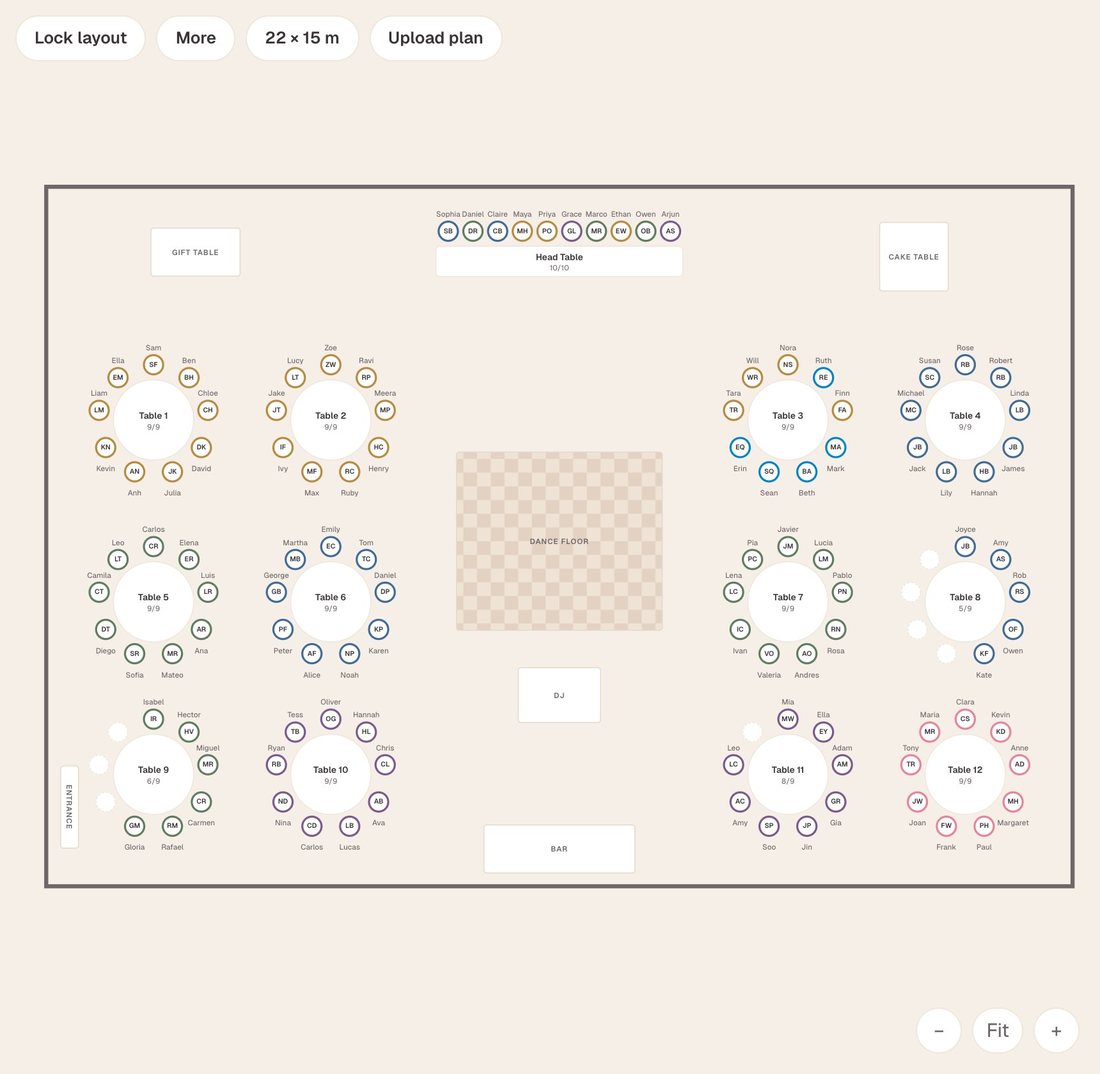
Set the room in meters or feet, or upload the venue’s floor plan as a photo or PDF. The tool reads the room size and features such as the stage, bar and dance floor, and you trace the rest. Add tables and 24 kinds of room items, from DJ booth to coat check, then lock the layout once the venue approves it.
Print it or put it on guests’ phones
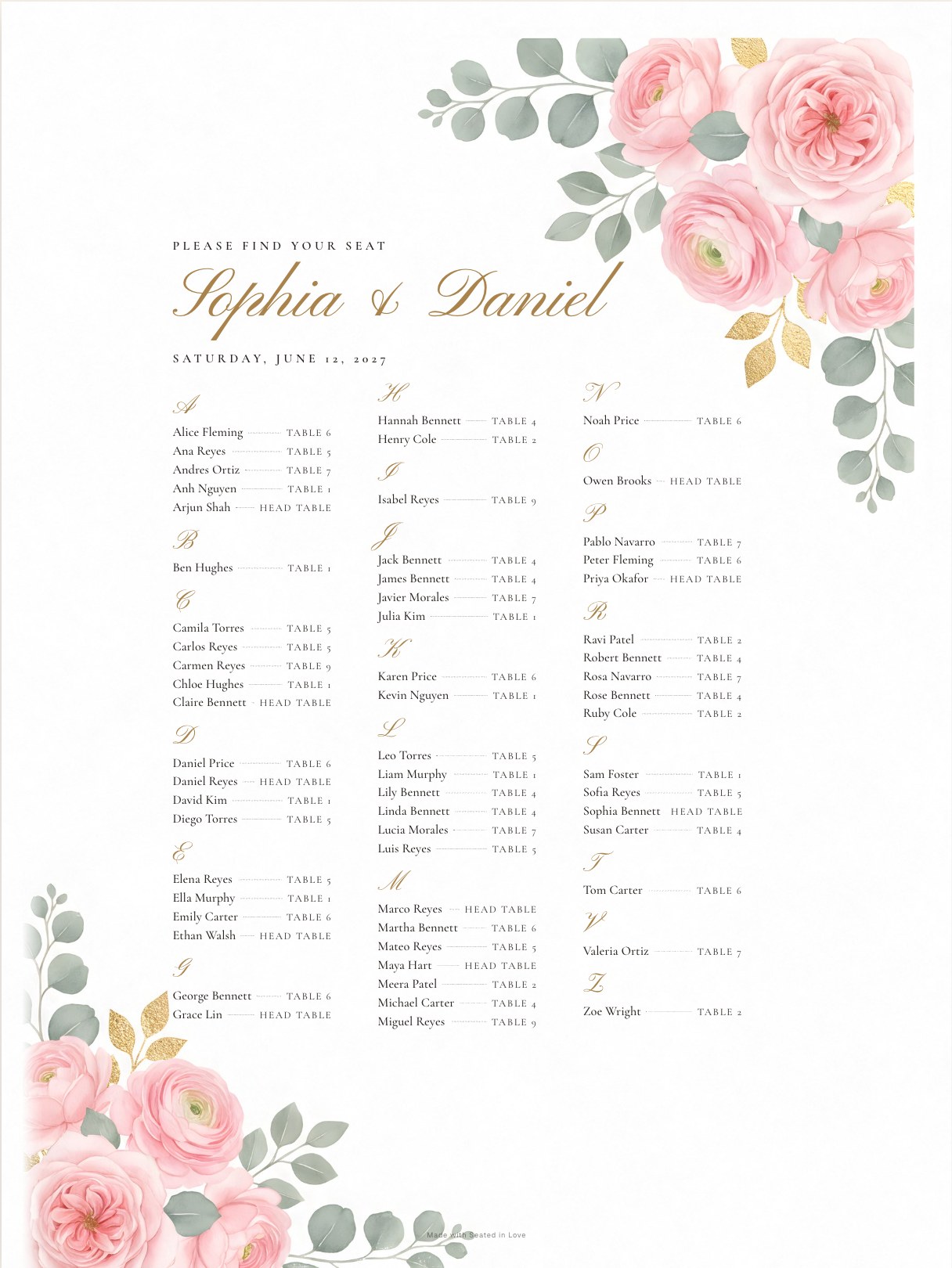
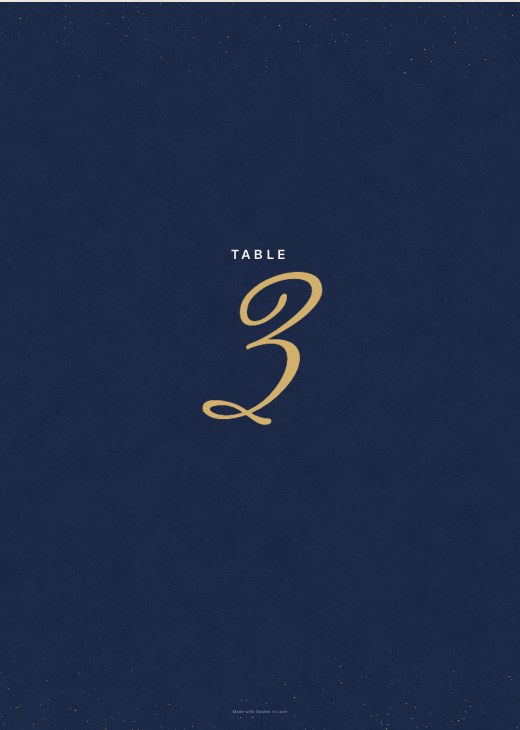
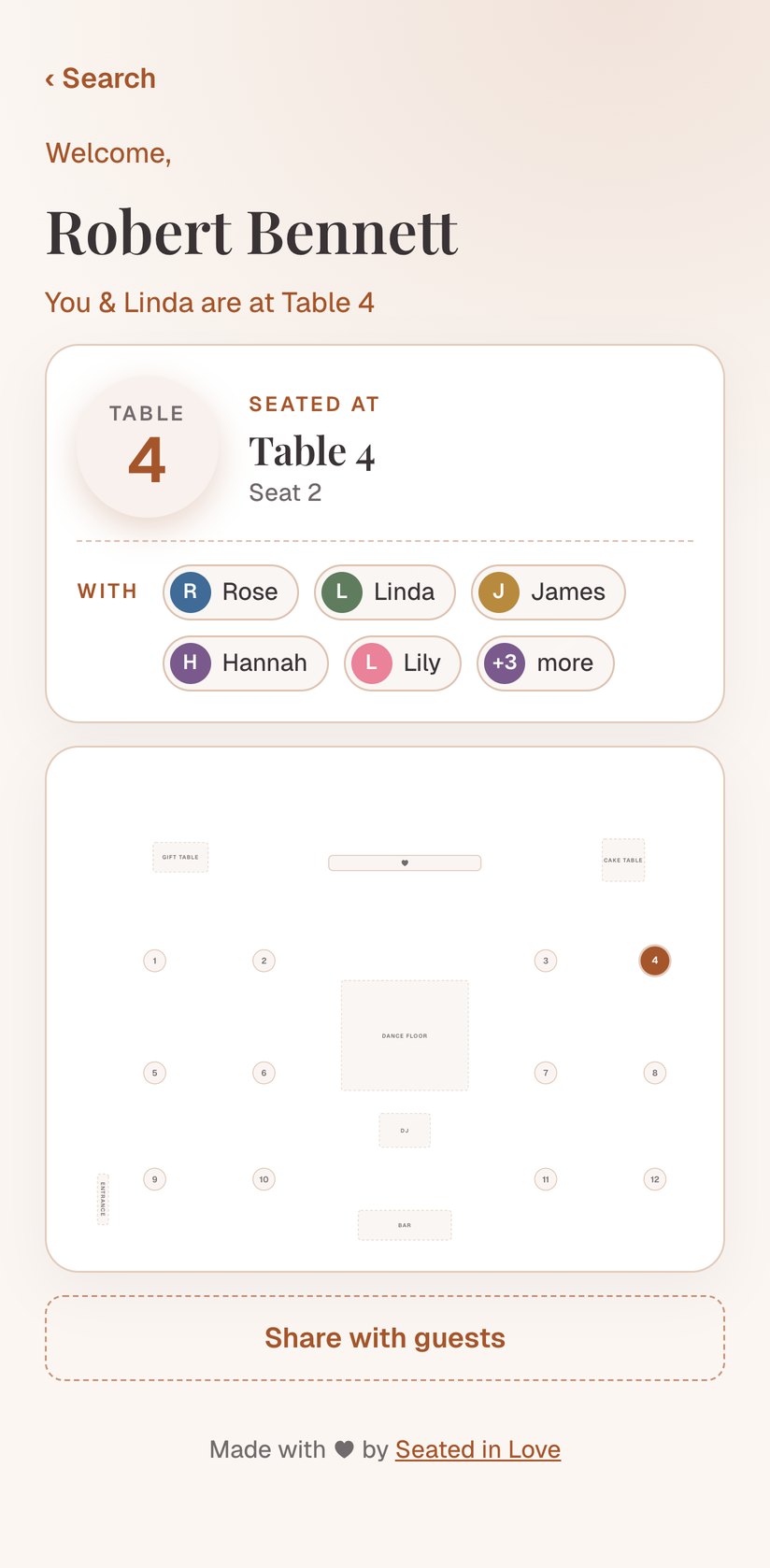
From the same plan you can print an alphabetical chart, a chart by table, a floor-plan chart, table numbers, place cards and table cards, a welcome sign and a meal list for the caterer, in twelve themes and sizes up to 30×40 inches. Or publish a Find Your Seat page: guests scan a QR code, type their name and see their table and a map.
Who uses it
- Couples planning a wedding reception or ceremony seating.
- Wedding planners managing many clients, with each couple invited into their own plan.
- Event hosts seating a rehearsal dinner, gala, fundraiser, anniversary, quinceañera or company dinner.
- Venues who want a to-scale plan of tables and capacities.
Seating chart maker vs a spreadsheet or Canva
A spreadsheet keeps the list but can’t show the room. A design tool makes a pretty chart but every name is typed by hand, and one late RSVP means redoing it. A seating chart maker keeps one guest list, the room and the rules together, and draws every chart and card from them.
Make your seating chart now
Free for your first 60 guests. No card, no download.
Questions
Is this seating chart maker free?
Yes. Every feature is free for your first 60 guests with no time limit. Pro is a one-time $29 per wedding or event for every guest; Agency is $59 a month for planners.
How does the seating chart generator decide who sits where?
It keeps households together, never breaks a keep-apart rule, honors sit-together and group rules, fills tables evenly, and leaves anyone you placed by hand where they are.
Can I make a seating chart for an event that isn’t a wedding?
Yes. Rehearsal dinners, galas, fundraisers, birthdays and company dinners all work the same way: a guest list, tables and a room.
Do I need to download an app?
No. It runs in your browser on a computer, tablet or phone and saves as you go.
Can several people work on one seating chart?
Yes. Invite a partner, family member or planner as an editor or view-only.
Can I import a guest list from Excel or Google Sheets?
Yes. Paste the rows or upload a CSV; columns such as name, household, group, RSVP and meal are matched for you.